
Description
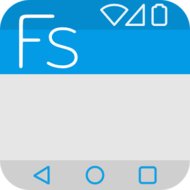
Flat Style Colored Bars Pro - Customize the background color of your status bar and navigation bar for a personalized look.
Flat Style Colored Bars Pro - Customize styles and color overlays for your status and navigation bars. Adjust icons and text colors for enhanced visual control.
Flat Style Colored Bars Pro Overview
Flat Style Colored Bars Pro is an Android personalization application developed by AndroidExtDeveloper that gives users granular visual control over system interface elements. Designed for devices running Android 4.2 and higher, this lightweight tool focuses on modifying the appearance of both the status bar and the navigation bar. Instead of settling for standard system tones, users can adjust background colors, apply custom color overlays, and tweak overall bar styles to seamlessly integrate these persistent interface zones with the rest of their screen display.
This utility is particularly appealing to Android enthusiasts who care deeply about UI consistency and personalized mobile themes. Anyone dissatisfied with rigid system colors will appreciate the fine-tuning capabilities offered for text colors and icon elements across essential navigation panels. Because the application package is extremely compact at just 734 KB, it provides dedicated theming depth without taking up substantial storage space on compatible hardware. It is an ideal pick for individuals seeking a unified, distinct look for their daily device navigation.
Key Highlights
- Status bar background color customization
- Navigation bar background color adjustments
- Custom style and color overlays for system bars
- Adjustable text colors for improved visibility
- Icon color controls for enhanced visual personalization
How to install
Download the APK file above to your phone.
Allow “Install unknown apps” when prompted.
Open the downloaded APK and tap Install.
If the package includes OBB/XAPK data, follow the bundled instructions.
MOD APKs are modified builds, so Play Protect may show a warning. Install only if you trust the file; use at your own risk.
You may also like
View all → L Launcher -Marshmallow Launch ProPersonalizationv2.86 · 4.90 MB
 Next Launcher 3DPersonalizationv3.7.3.2 · 13.2 MB
 APUS Launcher-Small,Fast,BoostPersonalizationv2131099827 · 4.7 MB
![[ROOT] GravityBox [LP] (Unlocked)](/media/2619/icon.jpg) [ROOT] GravityBox [LP] (Unlocked)MOD · Unlockedv5.4.4 · 4.50 MB
[ROOT] GravityBox [LP] (Unlocked)MOD · Unlockedv5.4.4 · 4.50 MB![[ROOT] GravityBox [MM] (Unlocked)](/media/2620/icon.jpg) [ROOT] GravityBox [MM] (Unlocked)MOD · Unlockedv6.1.7 · 4.20 MB
[ROOT] GravityBox [MM] (Unlocked)MOD · Unlockedv6.1.7 · 4.20 MB Total Launcher PremiumPersonalizationv4.1.5 · 6.5 MB
 Smart Launcher Pro 3Personalizationv6.6 build 022 · 24.6 MB
 Z Launcher BetaPersonalizationv1.3.6-Beta · 10.5 MB
 Nova Launcher PrimePersonalizationv89400 (8.9.4) · 31.1 MB
 Flat Style Colored Keyboard ProPersonalizationv3.1.1 · 1009 KB
 iFont (Expert of Fonts) ProPersonalizationv5.9.8.230417 · 10.3 MB
 Best Wallpapers QHDPersonalizationv1.70 · 3.50 MB